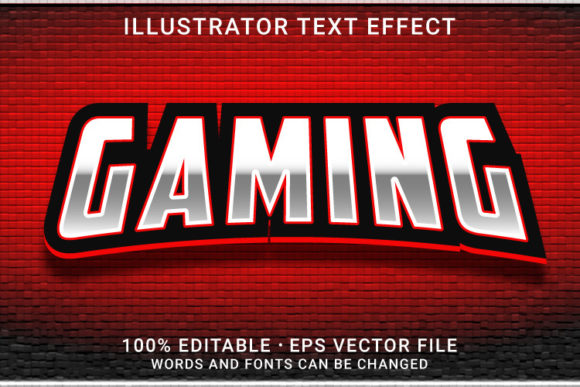
Bring Your Designs to Life with the GAMING 3D Editable Text Effect
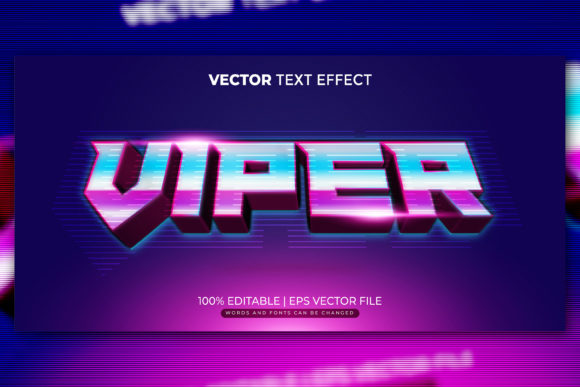
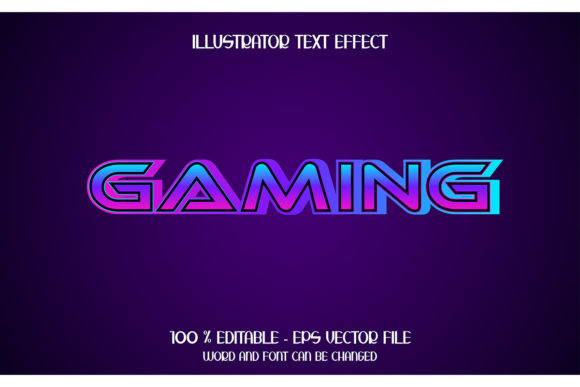
Think about the last time you saw a headline or poster that really grabbed your attention. Often, it’s not just the words themselves, but how they’re presented. A bold, three-dimensional text effect can make a simple message feel dynamic, exciting, and professional. The GAMING 3D editable text effect is a digital resource designed to give you that powerful visual tool with minimal effort. It’s a collection of pre-made, stylized 3D text designs that you can instantly apply and customize to your own projects.
At its core, this is about saving time while elevating quality. Instead of spending hours in a complex design software trying to manually build a convincing 3D shadow, extrusion, or embossed effect—skills that require significant practice—you get a ready-made solution. You download a file, open it in Adobe Illustrator, click on the text, type your own words, and the sophisticated 3D style is automatically applied. It’s design leverage, allowing anyone to produce graphics that look like they were crafted by an expert.
Where This Editable Text Effect Makes a Real Difference
The applications are vast because compelling text is needed everywhere. Let’s move beyond abstract features and look at concrete situations where this resource solves a real problem.
For the Freelancer or Small Business Owner
Imagine you’re a freelance event planner promoting a gaming tournament. You need a flashy poster for social media and a clean, modern logo for the event banners. With the GAMING 3D editable text effect, you can create a cohesive brand identity in minutes. You take the “Tournament Champions” headline, apply the 3D style, and it instantly has weight and presence. The same style can be applied to shapes, so maybe you use it on a simple badge icon next to the text. Suddenly, your materials have a professional, thematic consistency without requiring a budget for a custom graphic designer. It’s not just for gaming; a bold, retro 3D style could be perfect for a cafe’s new menu board, or a modern embossed effect for a consultant’s webinar title slide.
For Content Creators and Marketers
Every day, bloggers, YouTube creators, and social media managers battle for eyeballs. Your video thumbnail title or blog post featured image needs to stand out. A flat font often gets lost. Applying a 3D text effect with depth and shadow creates a tactile, clickable feel right in the thumbnail. It signals importance and effort. You can tailor the tone: a playful, cartoon 3D style for a fun product review, or a sleek, modern 3D with sharp shadows for a serious tech analysis. Because the text is fully editable, you’re not locked into one phrase. You can generate a unique, styled headline for every new piece of content, keeping your visual branding fresh but consistent.
For Educators and Hobbyists
Consider a teacher creating a presentation on typography history, or a club organizer making a workshop flyer. Visual appeal increases engagement. Using these effects, they can demonstrate different text styles live in the presentation or create eye-catching workshop titles that spark interest. A hobbyist running a community forum might use a 3D text effect to design award badges or special member titles, adding a sense of prestige and fun to the digital space. The “no skill requirement” aspect is key here—it allows passion-focused individuals to produce quality visuals without diverting energy into learning advanced software techniques.
Key Considerations Before You Use It
While the promise of “just one click” is powerful, it’s wise to understand the context to ensure it fits your workflow.
First, this is a vector-based resource, provided in AI and EPS file formats. This is a major strength. Vector graphics are resolution-independent; you can resize your 3D text to be as small as a logo or as large as a billboard without any loss of quality, pixelation, or blurring. This makes it incredibly versatile for projects that might scale. However, it requires software that can edit vector files, primarily Adobe Illustrator. Some alternative vector programs can open EPS files, but Illustrator ensures full compatibility with the editable text layers.
Second, think about customization. The style is applied to editable text. This means you are changing the content, not the core 3D effect itself—the color, shadow depth, and lighting angle are preset. If you need to tweak those fundamental artistic parameters, you would need to dig into the Illustrator layers, which requires more skill. For most users, simply replacing the text and perhaps changing the fill color is sufficient. The fact that it can also be applied on any shape or compound path is a huge bonus. It means you can turn a simple icon, a geometric border, or even a photo mask into a 3D object, extending the utility far beyond just words.
Finally, consider the aesthetic match. The included styles—like cartoon, retro, modern, or bold embossed—each convey a different mood. Browse the previews and imagine them in your specific project. Does the playful 3D shadow fit your corporate financial report? Probably not. But that same style might be perfect for a children’s app icon. Choosing the right style from the pack is about aligning the visual emotion with your message’s intent.
The Real Outcome: Speed, Consistency, and Professional Polish
What does this all translate to in practice? Let’s walk through a scenario. A small indie game developer is preparing a launch. They need a website header, Steam capsule art, a Twitter banner, and a few promotional T-shirt designs. All of these require strong, thematic text. By using a cohesive 3D editable text effect from this pack, they can generate all these assets in a single afternoon. The text on the website, the title on the capsule art, and the slogan on the T-shirt all share the same distinctive 3D character, creating a unified brand image. The developer isn’t a graphic designer; they are a game creator. This tool allows them to maintain control over their visual identity without leaving their core competency or hiring out.
For the everyday user, the benefit is often the removal of frustration. You have a vision for a project—a birthday card with a cool 3D “Happy Birthday,” a community newsletter headline, a personal blog logo—but the gap between your vision and your technical skill in design software feels wide. Resources like the GAMING 3D editable text effect bridge that gap directly. They turn a complex artistic process into a simple editorial one: click and type. The outcome is a graphic you’re proud to use, which feels polished and intentional.
The included high-resolution JPG previews are useful for quick mock-ups or for use in software that doesn’t handle vectors, but the true power lies in the editable vector files. They are the foundation for flexible, scalable design work. Whether you’re creating a poster, typography experiment, web graphic, or indeed your next project, having a library of high-quality, instantly applicable text effects is like having a professional designer on standby, ready to execute your vision with a single command. Remember to work within the software you have, choose a style that matches your project’s voice, and leverage the scalability for projects that might grow. And when a resource delivers that kind of utility, it’s always worth a positive rating for the creator.