What Are Vector Gaming PC Glyph Icons and Why Do They Matter?
In the digital landscape of design, icons are the universal language. They communicate ideas instantly, guiding users, branding products, and enhancing visual storytelling. Among these, the Gaming PC Glyph Icon stands as a specific, powerful symbol representing the world of high-performance computing and interactive entertainment. But what truly sets a professional-grade icon apart is not just its design, but its format. When you download a file package that includes versions like .AI, .EPS, .SVG, and .PNG, you're unlocking the potential of vector graphics. This article will explain vector icons from the ground up, explore their immense significance for creators and businesses, and clarify how the multi-format download you've received becomes a versatile asset in your toolkit.
The Core Concept: Understanding Vector Graphics
Let's start with the fundamental difference between the two main types of digital images: raster and vector. A raster image (like a typical .JPG or .PNG) is made of a fixed grid of tiny colored squares called pixels. When you resize a raster image larger, those pixels are stretched, often resulting in a blurry, low-quality outcome. This is a common frustration for many beginners working with logos or icons.
A vector graphic, on the other hand, is not pixel-based. It is defined by mathematical equations—paths, points, lines, curves, and shapes. Think of it as a set of precise instructions a computer reads to draw the image. A vector Gaming PC icon is essentially a blueprint describing the silhouette of the monitor, the shape of the keyboard, and the details of the tower. Because it's based on math, you can scale it to any size—from a tiny business card to a massive billboard—without any loss of quality. The edges remain crisp, the lines stay sharp. This scalability is the single most powerful feature of vector art.
Why the Glyph Style is Particularly Effective
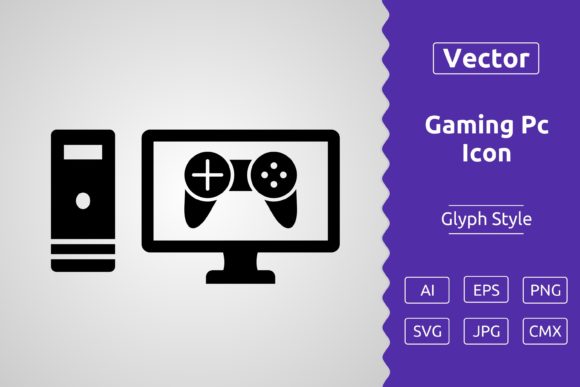
The term "glyph" refers to a simplified, minimalist pictorial form. A glyph icon strips away complex shading, textures, and colors, reducing the subject to its essential outline or silhouette. This Gaming PC Glyph Icon uses clean lines to represent a computer setup, making it immediately recognizable yet aesthetically sleek. This style is highly functional: it ensures clarity at small sizes, maintains visual consistency across different backgrounds, and aligns perfectly with modern, clean design trends seen in apps, websites, and print media.
Decoding Your Download: The Significance of Each File Format
The included zip file contains six high-quality formats. Each serves a distinct purpose in the design workflow, and understanding this turns a simple download into a professional resource.
- .AI (Adobe Illustrator Artwork): This is the native, editable source file for Adobe Illustrator, the industry-leading vector software. Opening this file gives you full control over every anchor point and path. You can change colors, modify shapes, or extract individual elements.
- .EPS (Encapsulated PostScript): A universal, legacy vector format readable by almost all design applications, including older versions of software. It's excellent for cross-platform compatibility and certain print workflows.
- .CMX (Corel Metafile): This is a vector format primarily for use with CorelDRAW, a popular alternative to Illustrator. It ensures perfect editing capability within that specific ecosystem.
- .SVG (Scalable Vector Graphics): This is the web-friendly vector standard. SVG code can be written directly into a webpage, making icons scalable, interactive, and lightweight. It's crucial for modern web development and user interface design.
- .JPG (Joint Photographic Experts Group): A high-quality raster version. This is useful for quick placement in non-professional software (like basic word processors) or for contexts where only a static image is needed, such as some social media previews.
- .PNG (Portable Network Graphics): Another raster format, but with a critical feature: transparency. The transparent background allows you to place the Gaming PC icon seamlessly over any colored background without a white box around it. This is indispensable for web design, app interfaces, and overlaying on photos or videos.
Having all these formats means you are prepared for virtually any project scenario, from high-end print production to agile web development.
Practical Relevance: Where and How to Use This Icon
The personal and commercial use license grants broad freedom. This vector Gaming PC Glyph Icon fits into numerous aspects of modern digital and physical design.
In Digital Spaces: Websites and Applications
On a website for a gaming hardware shop, tech blog, or esports team, this icon can serve as a visual anchor. Use the .SVG file for a navigation menu item representing "Products" or "Rigs." Its scalability ensures it looks perfect on any screen resolution. In a mobile application, the .PNG with transparency can be an intuitive button icon for a "My Setup" section. The glyph style ensures it doesn't clash with the app's overall theme.
In Print and Physical Media: Branding and Marketing
Vector files are the gold standard for print. Use the .AI or .EPS file to place the icon on brochures, flyers, or business cards for a computer repair service. Because it's vector, you can resize it perfectly for the small space on a card without quality loss. For creative projects like Cricut Design Space, the vector paths define precise cut lines for creating vinyl decals, t-shirt designs, or stickers featuring the gaming PC motif.
In Creative and Educational Projects
For a student creating a presentation on computer technology, the icon provides a professional visual. For a content creator making YouTube video thumbnails about PC builds, the transparent .PNG can be layered effectively. Its clarity helps communicate the topic immediately.
Clarifying Common Misunderstandings
Several assumptions can lead to confusion when working with icons like this.
- Misunderstanding 1: "Vector means it has to be edited in complex software." While true for deep editing, you can still use the vector-derived files (like .PNG or .JPG) in simple programs. The download provides both the editable power and the ready-to-use convenience.
- Misunderstanding 2: "An icon is just a small picture." In reality, a well-designed vector icon is a scalable asset. It's a single file that can fulfill roles from a tiny favicon (16x16 pixels) to a large hero graphic (2000x2000 pixels). This versatility saves time and maintains brand consistency.
- Misunderstanding 3: "Commercial use is complicated." The provided license typically means you can use this icon in projects you sell or monetize, such as a client's website, a commercial app, or merchandise. Always check the specific license terms, but such packages are designed to empower creators legally.
The Broader Context: Vector Assets in Today's Creative Workflow
This single icon download exemplifies a larger shift in design and technology. In a multi-platform world, assets must be flexible. A brand needs its symbols to look identical on a smartphone screen, a printed brochure, and an embroidered team jacket. Vector graphics provide this consistency. They are foundational to responsive web design, agile branding, and efficient creative workflows. By investing in high-quality, multi-format vector icons, individuals and businesses build a library of reliable, future-proof visual elements.
Furthermore, the focus on software like Adobe Illustrator and CorelDRAW highlights the professional pipelines. These tools are where complex branding, illustration, and layout happen. Providing the native .AI and .CMX files respects that professional workflow, allowing seamless integration into larger projects without conversion hassles.
Final Thoughts on Maximizing Your Asset
You've downloaded more than just an icon; you've downloaded a design system component. Start by exploring the .AI or .SVG file in your preferred software to appreciate the clean geometry. Use the .PNG for quick mock-ups. Store the zip file safely as part of your digital asset library. Whether you're a hobbyist designing a stream overlay, a freelancer crafting a client's business identity, or a marketer developing a campaign, this vector Gaming PC Glyph Icon is engineered to adapt, scale, and perform. It bridges the gap between a simple visual cue and a robust professional resource, empowering your creativity across the vast spectrum of modern media. Thanks for downloading, and indeed, have a productive and creative day.